Service Hot Leads Tab
The Service Hot Leads tab is used to review information about recent service hot leads. The total number of service hot leads displays for the current day as well as the previous 11 business days.

|
To access the Service Hot Leads tab, click |
 (Service Hot Leads) icon on the
 This tab can be viewed in either the List view or the Detailed view.
 List View
The List view of the Service Hot Leads tab is used to view the total number of service hot leads. To access the List view, click the  (List View) icon.
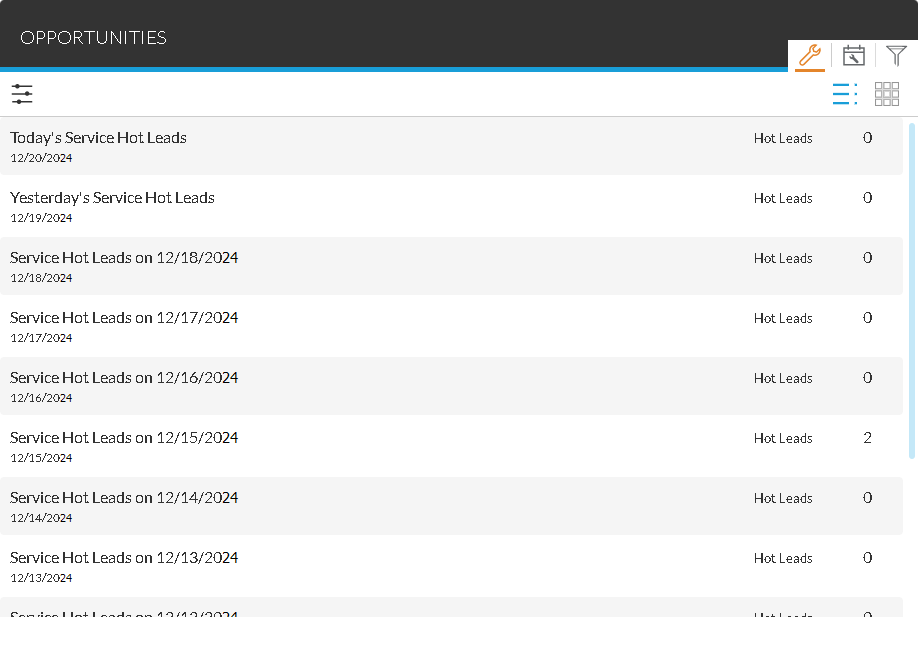
Additionally, to view details about individual service hot leads for a specific day, click a row to display the Service Hot Leads Details panel.
The following fields display on the Service Hot Leads tab in the List view.
Date: (Not labeled) The date on which the corresponding service hot leads were sent displays.
Hot Leads: The total number of service hot leads sent on the corresponding date displays.
Detailed View
The Detailed view of the Service Hot Leads tab is used to view the number service hot leads that were sent for walk-ins and the number that were sent for appointments. To access the Detailed view, click the  (Detailed View) icon.
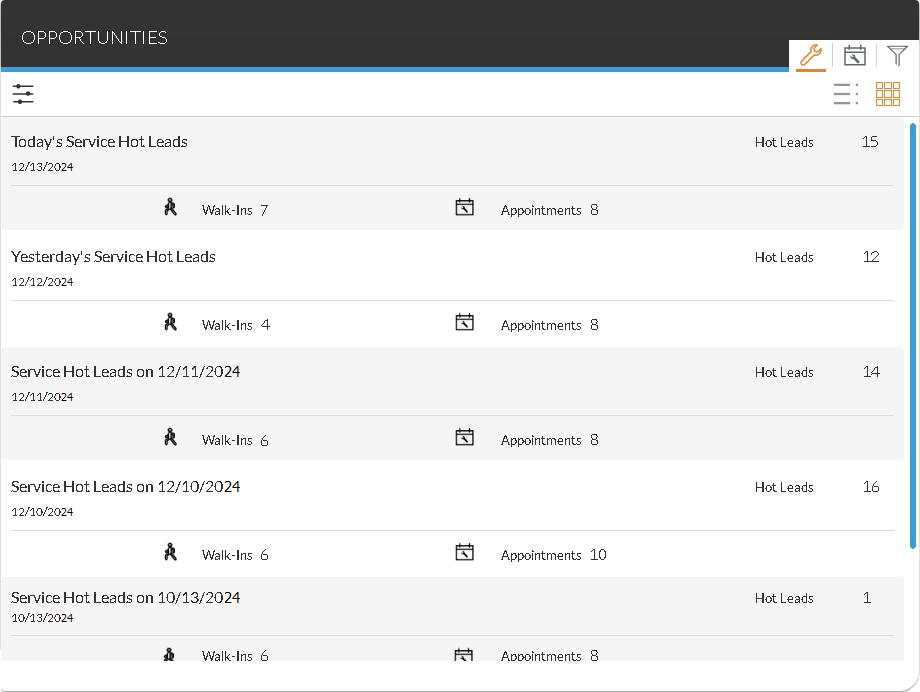
Additionally, to view details about individual service hot leads for a specific day, click a row to display the Service Hot Leads Details panel.
The following fields display on the Sales Campaign tab in the Detailed view.
Date: (Not labeled) The date on which the corresponding service hot leads were sent displays.
Hot Leads: The total number of service hot leads sent on the corresponding date displays.
Walk-Ins: The number of hot leads sent for walk-ins for the corresponding date displays.
Appointments: The number of hot leads sent for service appointments for the corresponding date displays.
Click here for a list of products that may be mentioned in this help file.